Stock-in
Designed for jewellery and luxury stock-in
Structure industry-specific product attributes, supplier transactions, and high-value item records to reduce entry and learning effort.

Nanke Steward ERP · AI Native ERP
Give fragmented information to the AI workspace and turn it into stock-in, stock-out, inventory, finance, and member records ready for review. Processes feel lighter, data stays clearer, and new team members can get started faster.
One person and one system can keep one store running with clarity.

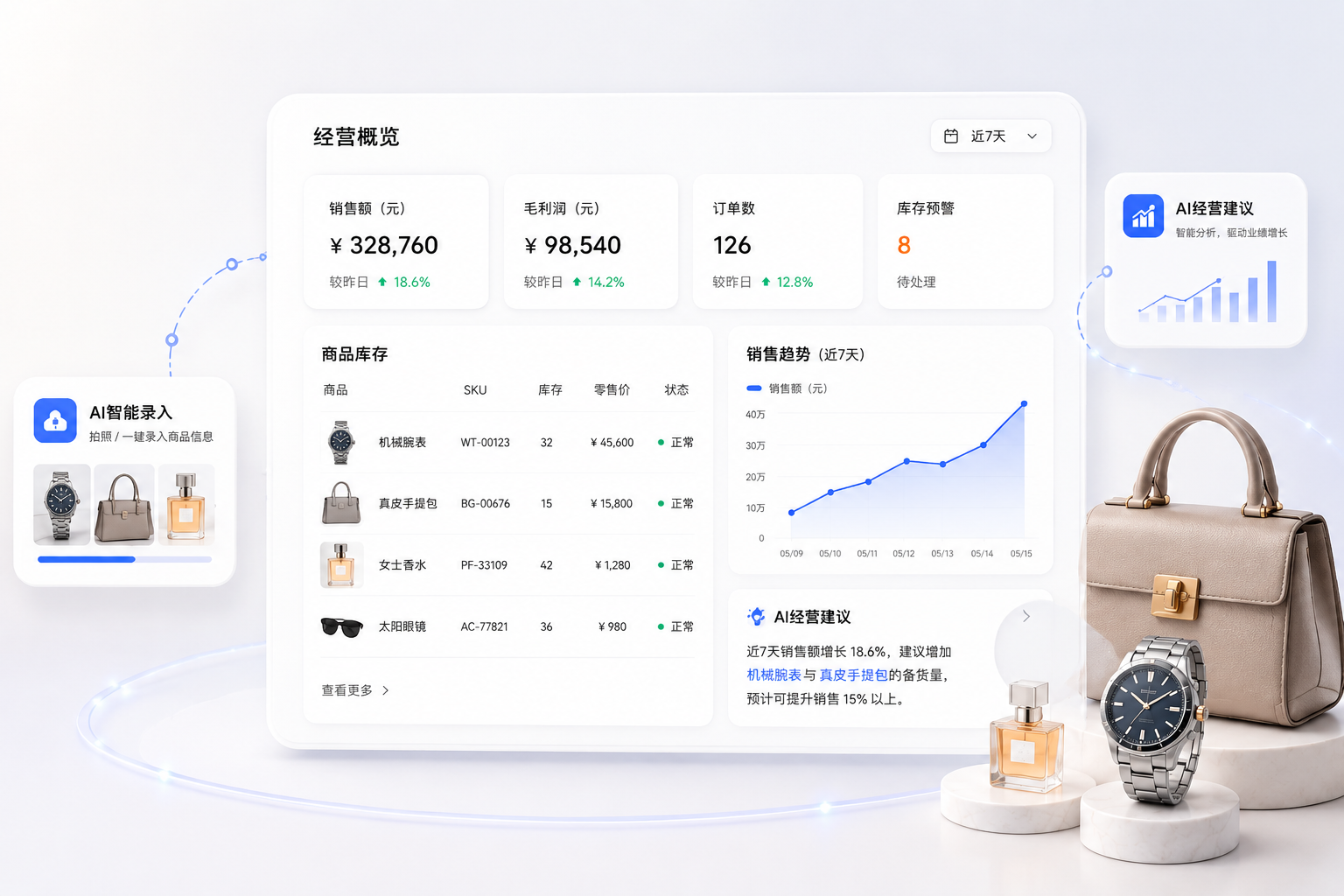
AI workspace
Describe the work in natural language. AI identifies fragmented details, highlights what still needs confirmation, and creates stock-in, stock-out, or other records only after a person approves them.

The work happens on the floor, but the information rarely starts in one sheet.
Describe a stock-in, stock-out, or other operating action in everyday language.
AI identifies key details and marks anything missing or needing review.
A person reviews the fields and action before the system creates the record.
Core operations
Organize the work around jewellery and luxury product information while preserving the configuration needed for fields, processes, and documents.
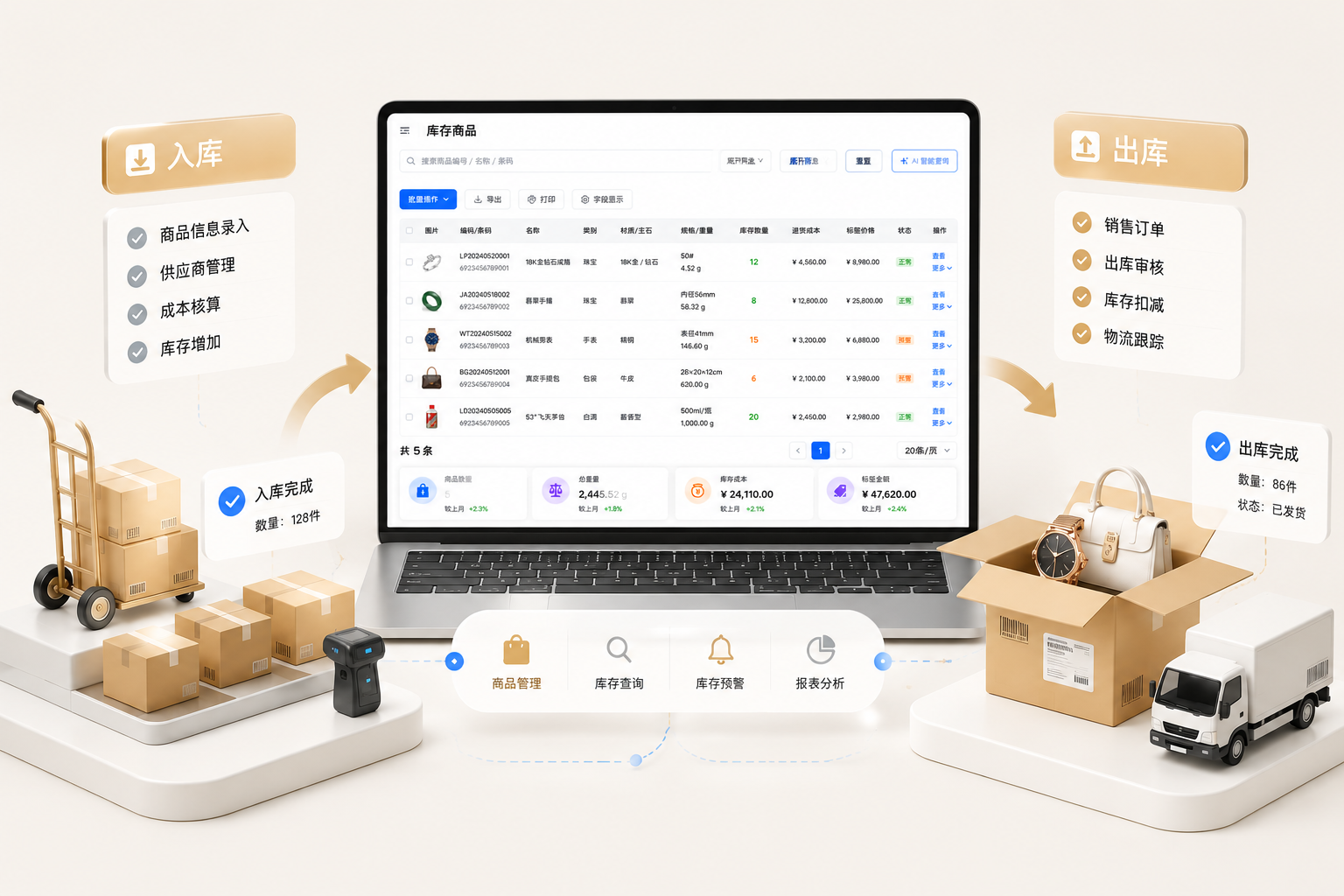
Stock-in
Structure industry-specific product attributes, supplier transactions, and high-value item records to reduce entry and learning effort.
Stock-out
Configure fields, processes, and documents around the way the business operates, keeping data clear without unnecessary restrictions.
Business management
Inventory, accounts, members, and suppliers continue to update around the same operating records, reducing cross-checking between disconnected sheets.
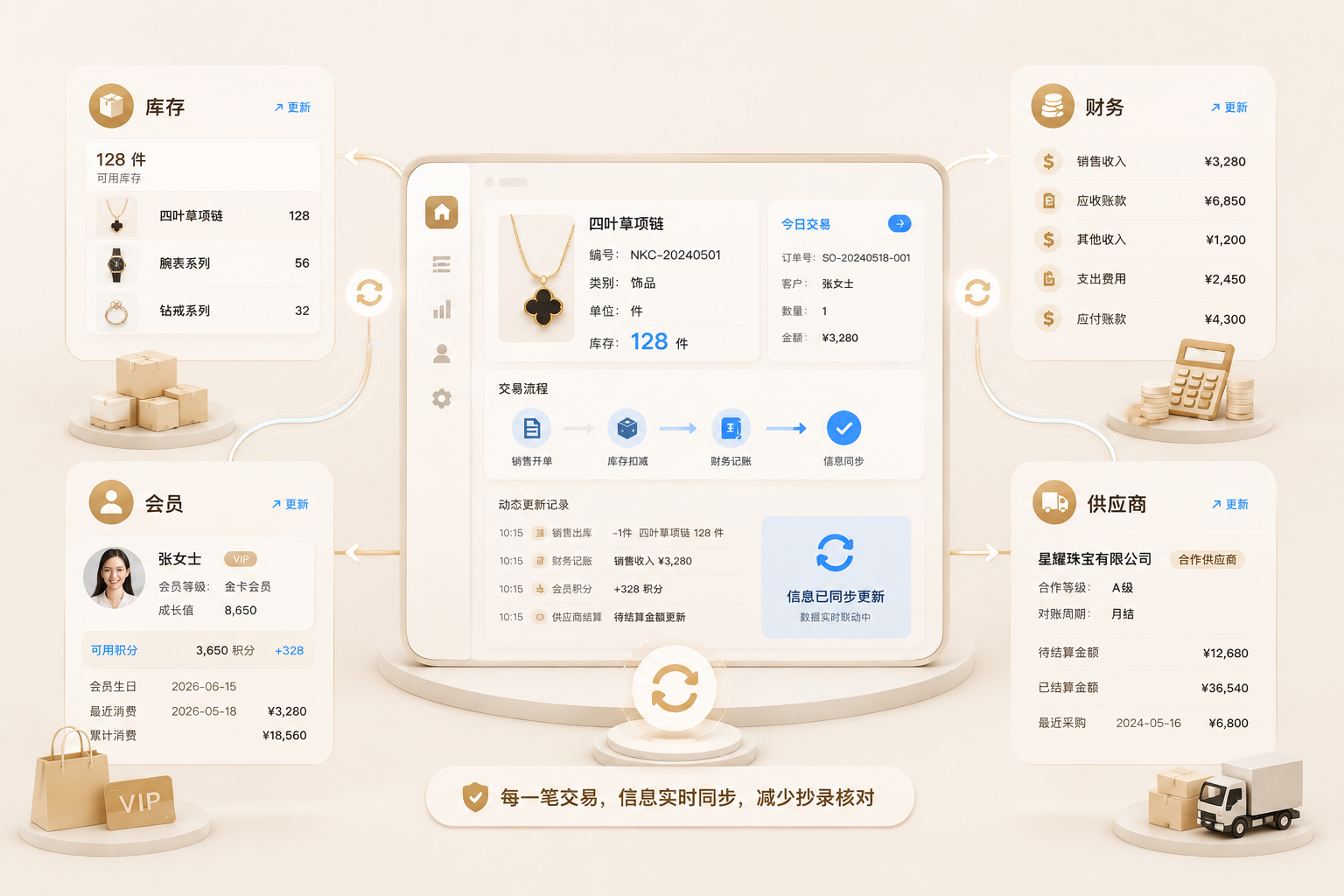
Inventory
Bring inventory, cost, and configured market references together for valuation and pricing suggestions, with the final price confirmed by the operator.
Finance
Create receivable and payable records with the underlying work, while keeping everyday income and expenses easy to add.
Members
Configure member levels, upgrade criteria, and point rules around the store's own customer strategy.
Suppliers
Bring purchasing, payments, and balances together so teams spend less time reconciling separate sheets.
Valuation and pricing suggestions must show their reference data and update time. They are not real-time market transaction prices.
From information to record
Start from one operating description and retain the source, review state, and final record throughout the process.

Describe the key information for this operating action.
AI identifies the content and adds anything still awaiting confirmation.
A person reviews fields, amounts, and the business action.
Create the corresponding business record after confirmation.
Inventory, finance, and transaction information continue to use the same record.
Nanke Steward ERP · AI Native ERP
Begin with one description, let AI organize the details, keep people in control, and turn each operating action into a clear record.